
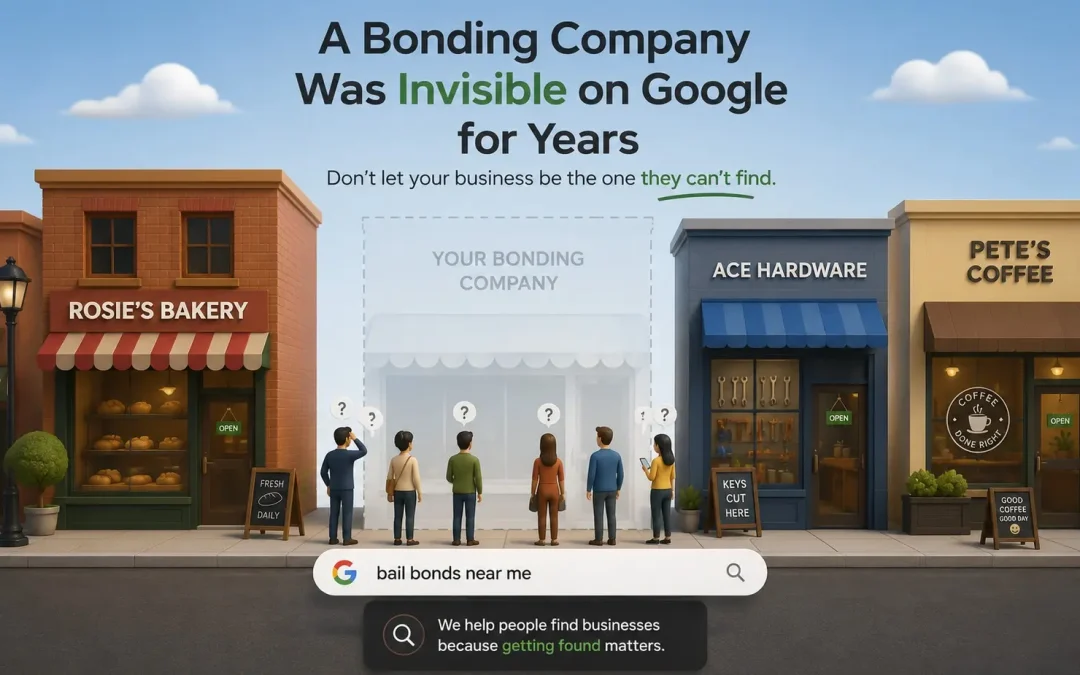
Post Summary: Your Name Ranks, the Service Doesn’t, and That’s Two Different Problems
Type the company name and the city into a search box and the site nearly always appears. That is the floor, and most live sites clear it. What is missing is the service term, and the reason is usually a homepage giving equal weight to eight things instead of standing for one. Search Console has two statuses worth knowing. One means the page is in a queue. The other means it was read and left out, and near-identical city pages are a common cause.
One bonding company had been paying for a site for two years and had no indexing record whatsoever. Nobody had told the search engine it existed. The page loaded fine for anyone typing the address, which is precisely why it went unnoticed for so long.
Below: the difference between a page nobody has looked at and one that was looked at and passed over, and what to check first if your own name returns nothing.
Every Week, Someone Calls Convinced Their Site Vanished
This happens all the time. A business owner types their company name into Google, scrolls past the ads, scrolls past the map pack, and doesn’t see their website anywhere. The first instinct is that something broke. The second instinct is to call whoever built the site and ask what happened. A big problem is that sometimes the business owner doesn’t know what SEO is, so they don’t know how it can help.
But here’s what we’ve learned after years of these calls: the business owner almost never googled just their business name. If they had, if they typed in their company name and their city, it would come up. It would be one of the top results if not the top result. It would be weird if it wasn’t. And the first thing we’d say on the call would be exactly that, and often times on the screenshare, show them exactly that their business is indexed.
What they’re really saying when they say “I can’t find my website” is something more like: I googled pest control near me, or whatever service they offer in their city, and their site was nowhere. That’s a different problem. And it’s a much more common one. If you’re wondering why isn’t my website showing up on Google, the answer usually starts right there, not with the site itself, but with what Google thinks the site is about.
What the Complaint Usually Turns Out to Be
When someone says they can’t find their site, the panic is real. But the diagnosis depends on which search they ran.
If you googled your business name plus your city and got nothing, that’s a major problem. Not a website problem. A development problem. Something foundational is broken, and it needs immediate attention. Even a site getting almost no traffic will show up for its own business name. That’s the floor. If you’re below that floor, something went wrong at the infrastructure level.
But that’s the rare version. The common version is the one where you searched for what you do, plumber, roofer, pest control, whatever your service is, and your site didn’t come up. That’s not a broken-site problem. That’s a visibility problem. And it almost always traces back to the homepage.
Why the Homepage Is Usually the Problem
The most common reason a live website doesn’t show up on Google is what we call distribution confusion on the homepage.
Here’s what that looks like. Say you’re a plumber. You do residential repairs, commercial plumbing, drain cleaning, water heater installation, bathroom remodels, and emergency service. And your homepage talks about all of them. Every service gets a paragraph, a button, maybe a little icon. The page is packed with information about everything you do.
The problem is that Google looks at that page and can’t figure out what it’s about. Is this a plumbing company? A remodeling company? A water heater company? There’s so much going on that even your main service isn’t coming through. Google can’t rank you just as a plumber because the page doesn’t read as a plumbing page, it reads as a directory of loosely related services.
There’s so much garbage on the homepage that even their main service isn’t showing up. We see it constantly. The fix isn’t to delete everything, it’s to give the homepage a clear focus. One primary service. One clear identity. All those other services live on their own pages, linked from the homepage but not competing with it. The homepage tells Google who you are. The service pages tell Google everything you do. When that structure is right, ranking for your core term becomes possible. When it’s wrong, you’re invisible for the one thing you most need to be found for.
Jakob Nielsen, co-founder of Nielsen Norman Group and one of the most cited researchers in web usability, described just how little patience visitors bring to any page they land on:
“It’s clear from the chart that the first 10 seconds of the page visit are critical for users’ decision to stay or leave. The probability of leaving is very high during these first few seconds because users are extremely skeptical, having suffered countless poorly designed web pages in the past. People know that most web pages are useless, and they behave accordingly to avoid wasting more time than absolutely necessary on bad pages.”
— Jakob Nielsen, Co-Founder of Nielsen Norman Group. Source: nngroup.com
It’s super important to have that focus, main service, main page, otherwise the site won’t rank for anything specific. And a site that doesn’t rank for anything specific doesn’t show up when someone types a real search into Google.
Two Years With No Indexing History at All
We had a client, a bonding company, where this played out in a way that’s hard to believe until you see the data.
When we take over a domain, the first thing we do is build the new website and then upload the sitemap to Google Search Console. Sometimes all the previous data shows up because the site was already connected, the history carries over and you can see what’s been happening. Other times, even though the domain has been active for years, it’s like starting fresh. No history. No impressions. Nothing.
This was one of those times.
When we connected the site to Search Console, there was nothing there. No previous sitemap. No indexing history. What had happened was that the site had never had a sitemap submitted. Possibly a no-index tag had been left on by accident, or the sitemap was never created in the first place. Either way, Google had never been told this site existed.
This had been going on for a couple of years. A couple of years where the business was paying for a website that Google couldn’t see. A couple of years where the owner assumed the site was working because it loaded when you typed in the address. It was live. It looked fine. It just didn’t exist as far as search was concerned.
It was a bad situation.
And it’s the kind of thing that should have been handled at launch. Submitting a sitemap to Google Search Console is not advanced SEO. It’s not optional optimization. It’s the equivalent of putting your address on a map. When it doesn’t get done, nothing looks wrong from your end, which is exactly why it can run for years without anyone catching it.
Discovered Versus Crawled, and Why It Matters
There’s a difference between a website that Google can’t find and a website that Google found but doesn’t think is worth showing. The distinction matters because the fix for each is completely different but both mean the website isn’t getting traffic.
Google uses specific language for this in Search Console. One status is discovered, not indexed, meaning Google knows the page exists but hasn’t gone through it yet. That might just be a queue issue. Google found the URL, noted it, and hasn’t gotten around to processing it. That’s not always a red flag. It might just mean Google needs a nudge.
The other status is crawled, not indexed. That’s different. That means Google read the page in full and left it out of the results anyway. They went through the entire page and still didn’t index it. That’s usually a bad sign.
Discovered might be a surface thing. Crawled and rejected, that’s a problem.
One of the most common reasons for crawled-not-indexed is duplicate content. A common approach is a set of service pages for different cities with the city name swapped. The content is exactly the same on every page. “Plumbing services in Nashville” becomes “Plumbing services in Chattanooga” becomes “Plumbing services in Knoxville”, same paragraphs, same structure, same everything except one word. Trying to ‘game’ google is a great reason why you’re not getting customers sent to your website.
Google got game to that a long time ago. They’ll rank one of those pages, maybe, and the rest are a waste of time. Worse than a waste of time, because a site full of duplicate pages signals to Google that the content isn’t worth trusting. The site doesn’t get penalized in the dramatic, public way people imagine. It just gets quietly ignored. Page after page sitting in the index doing nothing, or not making it into the index at all.
If you’re seeing “crawled, not indexed” on multiple pages in Search Console, that’s Google telling you the content doesn’t earn its place. The fix isn’t to resubmit the pages. It’s to make them worth indexing, unique content, specific to each location or service, written like it matters. Because if it doesn’t matter to the person reading it, it doesn’t matter to Google either.
When It Is Worth Worrying
If you’re doing that right now and getting nothing back, that is worth worrying about. Plainly. Because if your business name plus your city doesn’t return your website, there’s a major problem and being a small business you just might need SEO. That’s not a ranking issue. That’s not a competitive keyword issue. That’s a foundational failure, and something is seriously wrong with how the site was built or configured.
Even if you’re getting very little traffic, even if your site is brand new and nobody’s linking to it, you will see your website for your own business name. Definitely your homepage. That’s the absolute minimum. If that minimum isn’t being met, the site isn’t functioning as a website in any meaningful sense. It’s a page on the internet that only people with the direct URL can find.
If that’s where you are, let us know. Or let another boutique web design company know. The point is to get someone who understands how search works for small businesses to do a deep dive and figure out exactly what’s going on. It might be a sitemap that was never submitted. It might be a no-index tag that was never removed. It might be a homepage so unfocused that Google can’t rank it for anything. Whatever it is, it’s diagnosable, and once you know what’s wrong, the path forward gets clear fast.
The worst version of this story isn’t the business that finds out and fixes it. It’s the one that never checks.
Frequently Asked Questions
I can find my website when I type the URL directly, does that mean Google can see it too?
No. Typing your URL into a browser just loads the page from the server. It has nothing to do with whether Google has indexed it. A site can load perfectly when you visit it directly and still be completely invisible in search results because the sitemap was never submitted or a no-index tag is blocking it.
How long should it take for a new website to show up on Google?
If the sitemap is submitted to Google Search Console and the site is properly configured, most pages start appearing within a few days to a couple of weeks. If months have passed and your site still isn’t showing up, something is wrong, either the sitemap wasn’t submitted, pages are blocked from indexing, or the content isn’t giving Google a reason to include it.
What does “crawled, not indexed” mean for my business?
It means Google visited your page, read the content, and decided not to include it in search results. That’s usually a sign of duplicate content, thin content, or pages that don’t offer anything unique. The fix is making each page worth indexing, specific, useful, and different from every other page on your site.
Can having too many services on my homepage hurt my Google rankings?
It can. When the homepage tries to cover every service equally, Google can’t determine what the site is primarily about. A plumber whose homepage gives twelve services equal billing will not rank for the trade itself, because nothing on the page says plumbing louder than anything else. A focused homepage with supporting service pages performs better in search.