
Post Summary: The Anxiety Points at a Silence, Not a Vulnerability
The worry business owners bring up about website security is almost never a specific technical question. It’s ambient, a discontent that builds from reading about data breaches in the news, and it points at a conversation that should have happened and hasn’t.
The headlines behind the fear are Target, healthcare systems, companies with millions of records stolen. An informational site with a phone number and a contact form sits in a different category, and nobody has ever told the owner where the line is.
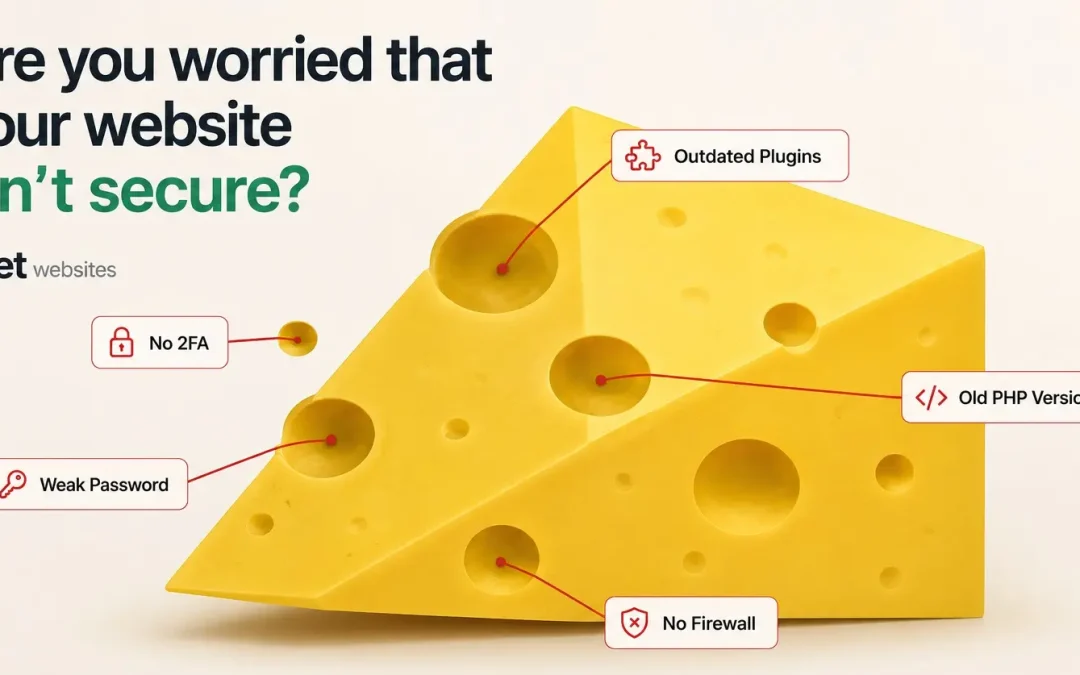
The secure lock in the address bar means the connection between your site and your visitors is encrypted. That’s the SSL certificate, and it’s the baseline. It says nothing about outdated plugins, absent backups, or whether anyone is monitoring the site at all.
Asking “is our site secure” gets a yes from everyone. Ask instead when plugins were last updated, where backups are stored, and what would happen if the site got hit tomorrow. Vagueness, a several-day delay, or reassurance without specifics tells you nobody is paying close attention.
Some of the anxiety isn’t about hackers at all. It’s the late-night question of whether anyone would notice a problem before a customer mentioned it, and where a web company built the site and disappeared, that’s a reasonable read rather than paranoia.
Backups are the safety net. With them a hacked site can be restored. Without them you recreate everything, which is a big expense and a lot of time.
The Question That Never Arrives as a Question
What does it sound like when a business owner brings up website security?
It almost never starts with a specific question. Nobody calls and says “I think we have a PHP injection vulnerability” or “our plugin stack hasn’t been patched in four months.” That’s not how it comes out. What comes out is quieter than that, more like a feeling than a fact. An overall discontent that builds every time they read about data breaches and all these things in the news, and then they look at their own site and wonder whether that could be them.
The worry isn’t technical. It’s ambient.
They’ve seen the headlines, Target, healthcare systems, companies with millions of records stolen. And they can’t tell whether their website, the one with their phone number and a contact form, is sitting in the same category of risk as the ones making the news. Nobody’s ever told them where the line is. Nobody’s ever had the conversation with them in plain terms.
That’s the real issue underneath most website security concerns. Not a vulnerability. A silence. The anxiety is pointing at a gap in the relationship with whoever manages the site, a conversation that should have happened and hasn’t.
What Business Owners Are Really Afraid Of
The nightmare usually plays out the same way. Someone gets in. Customer data gets stolen. It comes out that it happened on your website, and your name is attached to it. Trust disappears. The people who relied on you now associate you with the thing that compromised their information.
That’s a legitimate fear. For the right kind of website, it’s a completely valid one.
But here’s what matters: most likely the website isn’t going to cause you any harm or concern. You’re not likely doing any payment processing unless you have a shopping cart of some kind. If you do, then yes, this is a valid concern and it deserves a serious, specific conversation with your web company. If it’s just an informational website, here’s who we are, here’s what we do, here’s how to reach us, then there’s really no issues on the scale most business owners are imagining.
The fear is usually calibrated to the wrong kind of site. That doesn’t make it irrational, it makes it worth calibrating correctly. Because once you understand what your site does and doesn’t handle, the security conversation gets a lot less abstract and a lot more useful.
The Shopping Cart Exception
We talk a lot of people out of shopping carts. Not because e-commerce is bad, because if you don’t have an existing client base, it doesn’t make sense. An online store without buyers already primed to purchase is enormously difficult to make successful, and we’d rather be honest about that upfront than build something that doesn’t perform.
But for the businesses that do process transactions on their site, the security standard is different and higher. PCI compliance, SSL on every page that touches payment data, no storing card numbers in your own database if you can avoid it. A payment site that gets breached isn’t just a PR problem, it can carry real legal and financial liability.
If you have a shopping cart and you’ve never asked your web company about security in specific terms, that’s the place to start. Not “is our site secure”, that question gets a yes from everyone. Ask what’s being done to protect payment data and when it was last reviewed. The specificity of the answer tells you everything.
How You Know If Your Website Is Secure
Start with the visible thing: that secure lock in the upper left of the address bar. If it’s there, the connection between your site and your visitors is encrypted. That’s the SSL certificate, and it’s the baseline. Any competent web company should have that locked in place. If yours doesn’t, that’s the first thing to fix.
Beyond that, the honest answer is: ask.
Not a casual “is everything good?”, that question always gets a yes. Check with your developer. Have them give you a list of everything that makes the site secure. When were plugins last updated? What’s the backup situation? Where are the backups stored, and how fast can they restore? What would happen if the site got hit tomorrow?
Pay attention to what happens when you ask. A web company that’s maintaining your site should be able to answer those questions without hesitation, what’s in place, why it’s in place, and what the plan looks like if something goes wrong. If the answer is vague, or takes several days, or consists entirely of reassurance without any specifics, that’s information. Not necessarily that the site is vulnerable, but that nobody is paying close attention to it. And those two things tend to travel together.
Website Security Concerns and the Question of Who’s Watching
There’s a version of this anxiety that isn’t about hackers at all. It’s about the feeling of not being watched over.
When things are going well, traffic steady, phone ringing, no problems, most business owners aren’t thinking about their website. It sits there doing its job. But in the quiet moments, usually late at night, the questions surface. Is someone looking at this? Would I know if something went wrong? Would my web company call me, or would I find out because a customer mentioned something strange?
For businesses with a web company that’s engaged, those questions have easy answers. There’s a person who knows the site and would notice something off before the business owner would. That kind of relationship doesn’t eliminate risk, nothing does, but it changes what risk feels like.
For businesses where the web company built the site and disappeared, the anxiety is pointing at something accurate. Nobody is watching. If the site gets compromised tonight, there’s no one on the other end who already knows the environment and can move fast. That’s not paranoia. That’s a reasonable read of the situation.
The companion post on what to do when your website gets hacked covers what that response looks like in practice, and what recovery looks like when someone is watching versus when no one is.
The First Question to Ask
If you’ve never had a real conversation with your web company about security, here’s where to start:
Do you handle security, and where are the vulnerabilities?
That’s the question. Not “is our site secure”, everyone says yes to that. The question that tells you something is the one that asks for specifics and watches what comes back.
A web company that’s doing the work will tell you what’s in place without fumbling. They’ll know what’s updated, what’s backed up, and what the plan is if something breaks. A company that isn’t doing the work will give you reassurance instead of information. The difference between those two answers is the difference between a relationship and a subscription nobody’s servicing.
And here’s what it comes down to: if you’ve got backups of the site and the site gets hacked, you can always institute those backups. That’s the safety net. If you don’t have them, then that’s a big expense and a lot of time, you have to go and recreate everything, and that is a true nightmare. Backups aren’t glamorous. They’re the single most important thing standing between a bad day and a catastrophe.
For a broader look at the patterns that leave business websites exposed, not just to hacking, but to all the ways neglect compounds, the lead post on why most business websites fail covers what happens when the foundation isn’t right from the start.
Frequently Asked Questions
How do I know if my website security concerns are worth worrying about?
It depends on what your site does. If you’re processing payments or storing customer financial data, those concerns are completely valid and deserve a specific, technical conversation with your web company. If you’re running an informational site with no payment processing, the risk profile is much lower, but the question of who’s watching and what’s being maintained is still worth asking.
What’s the single most important thing protecting my website?
Backups. If your site gets hacked and you’ve got backups, you can restore and move on. If you don’t, you’re looking at a full rebuild, weeks of time and real cost for something that was entirely preventable. Everything else matters, but backups are the difference between a bad day and a true nightmare.
What should the first question to my web company be?
Do you handle security, and where are the vulnerabilities? Then listen for specifics. A company doing the work can tell you what’s updated, what’s backed up, and what happens if something goes wrong tomorrow. Vague reassurance instead of specifics tells you more than the words themselves.
Does the padlock in my browser mean my site is secure?
It means the connection between your site and visitors is encrypted, that’s the SSL certificate, and it’s the baseline. But SSL is one layer. It doesn’t cover outdated plugins, absent backups, or the question of whether anyone is monitoring the site at all. The padlock is necessary. It’s not sufficient.
My web company says everything is fine. How do I know if that’s true?
Ask for the list. Have them walk you through what’s updated, when backups last ran, and what the response plan looks like if something breaks tonight. A company that’s maintaining your site can answer that without hesitation. A company that can’t is giving you reassurance, not information, and those are very different things.