
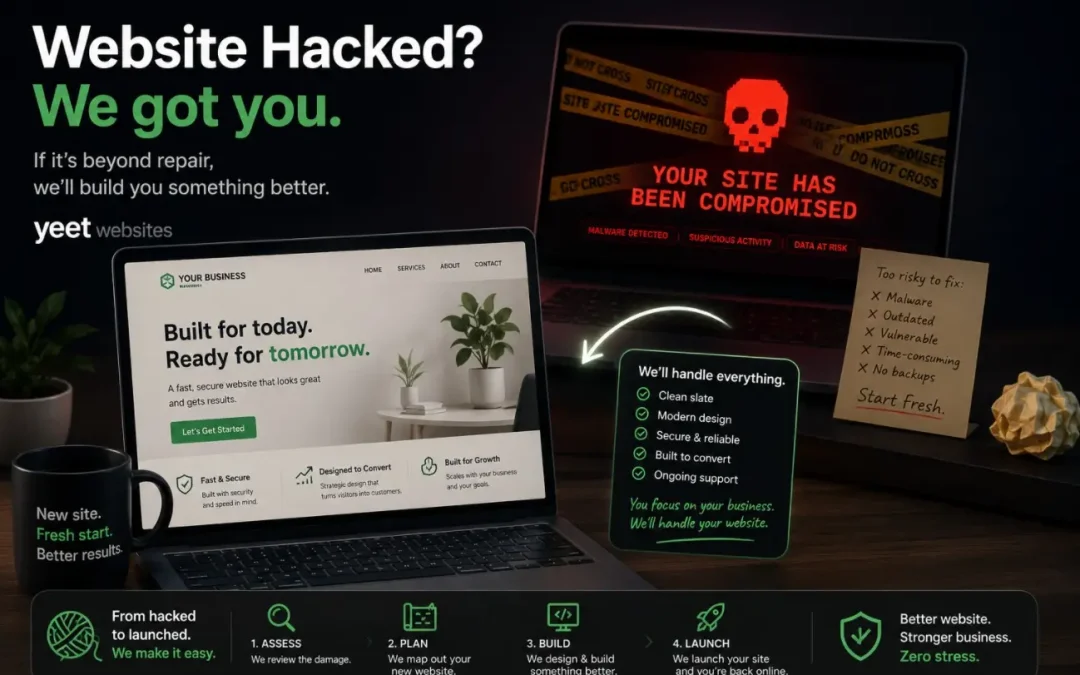
Post Summary: A Hack Is What Happens to a Site Nobody Was Watching
A hack isn’t personal and it isn’t bad luck, it’s the result of a window left open, and what happens in the months before the attack decides more than what happens in the minutes after.
An auto shop owner called about a strange pop-up on his site. It was a phishing overlay, placed through a PHP injection in a plugin vulnerability that hadn’t been patched. The site came down, got cleaned, and was back online within 30 minutes.
Automated tools scan for known vulnerabilities across hundreds of thousands of sites running the same software. The targeting is random, the exposure isn’t. A site updated promptly has a narrow window. A site untouched for eight months has left every window open.
Three things need to happen fast. Take the site down, because a live hacked site keeps collecting visitor data and serving malware. Get a plain holding page up at your domain with a phone number and email, since Google will de-index a site that stays down. Then find out whether your web company can get into the server and clean it in hours.
The repair bill is the easy part to quantify. Downtime costs leads that never arrive, and visitors who saw a phishing pop-up associate it with your business rather than the attacker. A deep infection with no backups means a rebuild measured in weeks.
Recovery depends on backups and on whether the injection point can be found and sealed. A partially cleaned site with dormant malware is worse than starting over.
Prevention is boring, which is why it gets skipped. Plugin updates and server monitoring produce no visible result, and the only evidence they worked is the thing that didn’t happen.
A Tuesday Morning Call About a Pop-Up
It was a Tuesday morning call that started like every other one. An auto shop owner, decent site, solid traffic, no drama in years of working together. “Hey, there’s this weird pop-up on my website. It’s asking for information. Is that something you put there?”
It wasn’t.
One look at the site confirmed it. Someone had gotten in. The pop-up was a phishing overlay, designed to look legitimate enough that a visitor would hand over their name, email, maybe more. The kind of thing that runs quietly for days or weeks before anyone notices. The business owner caught it fast. That matters more than most people realize.
We took the site down immediately, got into the back end, and found it: a compromised plugin. Updated, supposedly secure, but carrying a vulnerability that hadn’t been patched yet. Within 30 minutes the site was clean and back online. That’s not a brag, it’s what the process looks like when someone is watching. But it also illustrates exactly why “website hacked what to do” is a question every business owner should have an answer to before they ever need it.
Reality is: whether your site got hacked, you clicked a link that said you were hacked, or you’re just trying to figure out if a site can hack you by visiting it, here’s what’s going on and what to do next.
What a Hack Looks Like From Both Sides
What the business owner sees and what’s happening underneath are two very different things.
On the surface: something’s off. A pop-up that wasn’t there before. A page that redirects somewhere strange. A Google warning that says the site “may harm your computer.” Sometimes nothing visible at all, the damage is happening in the background while the site looks perfectly normal to the owner.
Behind the scenes: an attacker has found a way into the server. In the auto shop case, it was a PHP injection through a plugin vulnerability, code inserted directly into the server’s file structure that runs every time someone visits the site. The goal is usually one of a few things: steal visitor data, redirect traffic to another site, or use your server as infrastructure for something larger. None of it is personal. It’s almost never personal.
That’s the part that trips people up. It feels targeted. It feels like someone came for you specifically. But what happened is that a vulnerability existed across potentially hundreds of thousands of websites running that same plugin, and automated tools scanned for it and found yours. You were a door that happened to be unlocked. The attacker didn’t know your name.
Which doesn’t make it less serious. It just means the question isn’t “why me”, it’s “how fast can we close the door.”
Why Websites Get Hacked, It’s Not Random, But It Feels Like It
Here’s something worth understanding about the ecosystem these sites live in.
WordPress, the plugins that extend it, the security tools that protect it, all of it was built by people who are, without exaggeration, operating at a level most of us will never touch. The developers behind these platforms are the equivalent of the teams that built the iPhone. Genuine geniuses. We’re all just using the tools they’ve provided. And even they can’t anticipate every vulnerability before it gets exploited.
When a new vulnerability surfaces, it’s a race. The developers patch it. Attackers exploit it. Whoever moves faster determines who gets hurt. Most of the time, patches come quickly and the window is small. Sometimes it isn’t.
So is a hack random? Yes and no. The targeting is random, your site wasn’t singled out. But the exposure isn’t. A site that’s actively maintained, with plugins updated promptly and a web company monitoring it, has a narrow window of vulnerability. A site that hasn’t been touched in eight months has left every window open. That’s not random. That’s a choice, usually a passive one, but a choice.
The businesses most at risk aren’t the ones with enemies. They’re the ones with nobody watching.
Website Hacked What to Do, the First 30 Minutes
If you find out your site has been hacked today, three things need to happen fast.
First: take the site down. A hacked site that stays up is actively damaging, collecting visitor data, serving malware, destroying trust in real time. The instinct is to leave it up while you figure out what happened. That instinct is wrong. Down is better than compromised.
Second: get a landing page up immediately. If you have access to your domain, redirect it to a simple page, doesn’t have to be pretty, that says your site is temporarily unavailable, here’s your phone number, here’s your email, you’re open for business. This is critical. Google will de-index a site that’s been down for any length of time. A landing page holds your place. It tells visitors you still exist. It keeps search from treating you as gone.
Third: find out whether your current web company can handle this. Not “can they file a ticket about it”, can they get into the server, identify the injection point, clean it, and get the site back online? And can they do it in hours, not weeks? If the answer is unclear, that’s information. A hack is a bad time to find out your web company doesn’t have the technical depth to fix one.
The question underneath all of this is: do you feel supported? Not reassured, supported. There’s a difference between a company that says “we’re looking into it” and one that’s already inside the server while you’re still on the phone. We had that auto shop back online in 30 minutes. That’s the standard.
The Real Cost, It’s Not Just the Repair Bill
The fix is the easy part to quantify. Everything else is harder.
If your site is getting a hundred visitors a day when it goes down, every hour of downtime has a real number attached to it. Leads that never came in. Calls that went to a competitor. Someone who searched for exactly what you offer, landed on an error page or a Google warning, and left. They’re not coming back. They don’t know your site was hacked. They just know it didn’t work.
Then there’s the trust damage. A phishing pop-up on your site is your name on it. The visitors who saw it before you took it down don’t blame the attacker, they experienced something unsettling on your website, and that association sticks. For a business that runs on reputation, that’s not trivial.
And if the hack is severe enough that the site can’t be cleaned, if the infection is deep enough that the only real option is a full rebuild, you’re looking at time and money that dwarfs whatever you might have spent on proper maintenance. A rebuild takes weeks. Weeks without a site, or weeks with a holding page, is weeks of diminished visibility and reduced leads.
The math is brutal and simple: active maintenance costs a fraction of what reactive recovery costs. The businesses that learn this lesson the hard way always wish they’d known it sooner.
For a broader look at the structural reasons sites end up in fragile positions, the lead post on why most small business websites fail covers the patterns that leave sites exposed, not just to hacking, but to all the ways neglect compounds over time.
What Recovery Looks Like
Most businesses that come to us after a hack fit a pattern. They’d been with a web company for a while. Things had been fine, or at least quiet. Then something happened, and the response time was measured in days. Or the company said they “couldn’t find anything” when the problem was visible to anyone who looked. Or they offered to rebuild at full price, as if the hack was the client’s fault and not a failure of maintenance.
In some cases the site can be cleaned. The injection point gets identified, removed, and patched. Backups restore what was lost. The site comes back cleaner than it went down, with the vulnerability sealed. That’s the best-case outcome, and it’s only possible if there are backups to restore from and someone with the technical ability to do the cleanup properly.
When there are no backups, or the infection is deep enough that cleaning isn’t reliable, a rebuild is the path. That’s harder to hear, but it’s honest. A partially-cleaned site that still has dormant malware is worse than starting fresh. The goal is a site you can trust, not a site that looks okay and might be fine.
Either way, clean or rebuild, the underlying question is whether your web company is capable of handling it and willing to move fast. If they’re not, a hack isn’t just a technical problem. It’s a signal about the relationship.
Your sibling post on what website security concerns are really telling you goes into the anxiety side of this, the ongoing worry that something could go wrong and nobody would catch it. That fear is worth examining. It usually points at something real.
The Part Nobody Talks About, Prevention Is Boring
Nobody calls us excited about plugin updates. Nobody requests a conversation about server monitoring. It’s not interesting. It’s not visible. You don’t see it happening, you don’t feel it when it works, and the only evidence of its value is the thing that didn’t happen.
That’s exactly why it gets skipped.
The auto shop hack got fixed in 30 minutes because we were already in the system, already knew the site, and could move immediately. A business whose web company hadn’t touched the site in months would have faced a very different timeline. Same hack. Completely different outcome, because of what happened in the months before the attack, not the minutes after.
Maintenance is boring until it isn’t. The businesses that treat it as optional find out its value at the worst possible time. The ones who treat it as infrastructure, as the baseline cost of having a site that works, almost never have to think about it at all.
That’s the deal. And if you want to know what that kind of infrastructure looks like in practice, someone watching, someone responding, someone who already knows your site when something goes wrong, that’s what we do every day.
Frequently Asked Questions
What should I do if my website is hacked?
Take the site down immediately, a live hacked site is doing active damage. Then get a simple landing page up at your domain with your phone number and email so visitors know you still exist and Google doesn’t de-index you. Finally, find out whether your web company has the technical ability to clean or rebuild the site quickly. If they can’t answer that question confidently, that’s a problem on top of a problem.
Why did my website get hacked?
Almost certainly not because someone targeted you specifically. Automated tools scan millions of sites for known vulnerabilities, outdated plugins, unpatched software, weak configurations, and exploit whatever they find. Your site was a door that was unlocked at the wrong moment. The exposure is usually the result of deferred maintenance, not bad luck.
How long does it take to fix a hacked website?
It depends on the depth of the infection and whether your web company is equipped to handle it. A contained injection with a clean backup can be resolved in under an hour by someone who knows what they’re doing. A deep infection with no backups may require a full rebuild, which takes weeks. The single biggest variable is how fast your web company moves once they know about it.
Will Google penalize my site for being hacked?
Google can de-index a site that’s been flagged for malware or left down for an extended period. A holding page at your domain, even a plain one with just your contact info, significantly reduces that risk. The faster the site is restored or replaced with a clean placeholder, the less search damage you accumulate.
What does Yeet Websites do if a client site gets hacked?
We move immediately. In a recent case, we had a client site cleaned and back online within 30 minutes of the call. We go directly into the server, identify the injection point, remove it, patch the vulnerability, and restore from backup if needed. Our clients don’t file tickets and wait, they call and we’re already working.
How do I prevent my website from being hacked?
Active maintenance is the primary defense, keeping plugins and core software updated, monitoring for unusual activity, and having someone who knows the site well enough to spot something off quickly. Most hacks exploit vulnerabilities that already have patches available. The gap between “patch released” and “patch applied” is where attacks happen. Closing that gap fast, consistently, is what prevention looks like.