
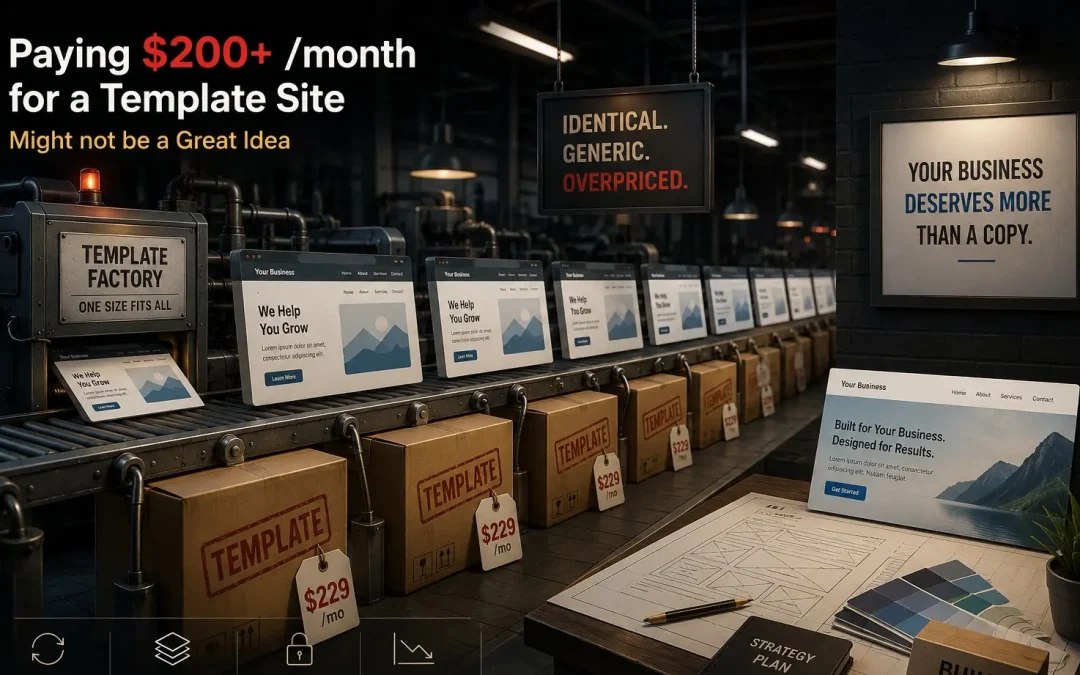
Post Summary: A Template’s Layout and Code Exist Before Your Business Ever Signs On
A $200-or-more-a-month template site can mean paying premium pricing for something that took relatively little labor to produce, since the layout and code already existed before a logo, colors, and photos were added. Specific technical signs reveal whether a site is a template: heading tag structure (one H1, logical H2s versus none or multiples), URL structure (readable names versus numeric strings), and theme names referenced in the page source like Divi, Avada, Enfold, or BeTheme, though those frameworks can also be fully customized, so the name alone isn’t conclusive on its own.
A client dealing with over $8,000 in unpaid receivables from their own customers this month illustrates why a recurring monthly cost difference matters, when cash flow gets tight, every ongoing expense gets scrutinized.
The rest of the post covers the specific checklist for identifying a template, and where a template genuinely fits, a brand-new business on a tight budget building its own site.
Fancy Sliders Don’t Tell You If a Site Is Custom
We get it. You signed up with a company, they built you a website, and it looks… fine. Maybe even good. Fancy slider on the homepage, a hero image that moves like a movie scene, three neat little boxes under the services section. Professional enough that you wouldn’t question it. But here’s the thing, is my website a template or custom? Because if you’re paying $200 or more a month and you’re locked into a contract, there’s a real chance you’re overpaying for something that cost your provider almost nothing to build.
We’re not here to scare you. We’re here to show you what the template trap looks like from the inside, how to spot it, and why you’re paying more for less when companies like ours charge $130 a month with no contract for work that’s built from scratch for your business.
What a Template Website Looks Like (And Why You Can’t Tell)
Most business owners have no idea whether their site is a template or custom. And honestly, that’s not their fault. Templates have gotten good at looking like they’re not templates.
Here’s what we see over and over when a new client comes to us from another provider. The homepage has a big hero section, maybe a background video or a moving image. Below that, a row of three boxes with icons, each one describing a service. Below that, a testimonial slider. Below that, a call to action button. Sound familiar?
That layout isn’t a coincidence. It’s the same layout on thousands of websites because it comes pre-built in a template. The provider just swapped in your logo, your colors, and your photos. Maybe they tweaked a few things. But the skeleton underneath? It came out of a box.
The telltale signs are in the pattern. When you’ve looked at as many websites as we have, thousands, you start recognizing templates the way a chess player recognizes a position on the board. Magnus Carlsen doesn’t need to calculate seven moves ahead every time. He’s seen that pattern ten thousand times and already knows where it goes. Same thing. Five seconds and we know whether your site was built for you or built from a kit.
Business owners miss it because they’re not in this business. And they shouldn’t have to be. A plumber doesn’t need to know why their website’s URL still shows a number instead of a page name. They need someone who does. But when you’re paying $200 a month for something that took your provider a fraction of the effort a custom site requires, that’s worth knowing about.
The Real Cost Difference Isn’t What You Think
Here’s where the template trap gets sharp. A custom website takes longer to build. It takes more thought, more design work, more back-and-forth with you to make it sound like your business and look like your brand. The labor is higher. There’s no way around it.
A template site? The heavy lifting is already done. The layout exists. The structure exists. The code exists. Your provider drops in your content, adjusts the colors, and ships it. The labor cost to them is a fraction of what a custom build requires.
So when a company charges you $200 or more per month for a template, and locks you into a contract so you can’t leave, you’re paying a premium for something that didn’t cost them much to produce. Meanwhile, we charge $130 a month for a custom website with no contract. You’re free to walk away any time. The math doesn’t lie.
And the $70 a month difference? That’s not nothing. We just had a client this month dealing with over $8,000 in unpaid receivables from their own customers. When cash flow gets tight, and it does for every small business at some point, that extra $70 a month matters. Every dollar you’re spending on a website that could’ve been built cheaper and better is a dollar not in your bank account.
What’s Missing Under the Hood
Paying more is bad enough. But the real problem with template sites isn’t the price. It’s what’s missing underneath the surface where you’d never think to look.
We can’t remember the last time a template site came to us with proper heading tags throughout the entire site. Heading tags are how your website tells Google what each page is about. The H1 is the main title, the big one that says “this page is about THIS.” The H2s are the supporting subjects. Without them, Google is guessing. And Google doesn’t reward guessing.
But it goes further. We see template sites where the page URLs still show numbers instead of readable names. Sitemaps that were never turned on, meaning Google doesn’t even know half your pages exist. Calls to action buried in the wrong spots where nobody clicks them. Technical details that a business owner would never catch because they’re a plumber or an electrician or a painter, not a web developer.
That’s normal. That’s why professionals exist. But the company charging you $200 a month should be catching this. And if they’re using a template and not customizing the technical foundations, they’re not catching it either, because the template doesn’t make it easy, and they may not know how.
There’s a Place for Templates, Just Know What You’re Getting
We’re not going to tell you templates are evil. If you’re just starting out and you genuinely don’t want to invest in a professional website yet, something like Wix at roughly $200 a year might be a starting point. We get it. Not everyone is ready for $130 a month on day one.
But go in with your eyes open. You’re going to spend three or four hours a month trying to figure out how to make things work. You’re going to miss the technical details we just described. You’re going to end up with a site that looks fine but isn’t structured to do anything for you beyond existing on the internet.
How much is your time worth? If you’re willing to put in the extra hours to save the difference between $200 a year and $130 a month, go for it. You’re not our client and you’re not anybody’s client, you’re your own client, and you just gave yourself a second job.
But if you’re paying $200 a month to a company for a template site and you’re locked in? That’s a different conversation. That’s not a scrappy startup making a smart budget decision. That’s a business owner getting less and paying more because nobody showed them the alternative.
How They Get Away With It
These companies have something we don’t, reach. Marketing budgets. Fancy systems. Here’s an example.
One big operation has this tool where they send the client a link, and on that link you can see what your website looks like on desktop, tablet, and phone. You can scroll through each view interactively. It is genuinely cool. We’d love to have something like that. It probably cost them six figures to build. It’s impressive to geek out on.
But here’s what that tool does to the client relationship. Now the sales rep doesn’t have to get on a call with you. They send you the link instead. You click on it, have no idea what you’re looking at because you’re not in this business, get frustrated trying to figure out what you’re approving, and a month goes by in confusion.
Then you stumble onto us. We do a screen share. We walk you through everything. We hold your hand through the process. We show you exactly what’s happening on your site in plain English. And guess who gets the business?
Their hundred-thousand-dollar tool just earned us another $130 a month. That feels about right.
The only reason companies like ours aren’t the first option for every small business owner is visibility. At scale, we don’t need to raise our prices. We can serve more people at $130 a month and deliver a better product than the companies charging $200 for a template behind a contract. The difference is they have the marketing and reach to show up first. We have the product and the service to keep you once you find us.
Is My Website a Template or Custom? Here’s How to Tell
If you want to check whether your current site is a template, here are the things to look at.
Open your website and go to any service page. Does it have three boxes with icons, a short description under each, and a button that says “Learn More” or “Click Here”? That layout is one of the most common template patterns in existence. It doesn’t automatically mean it’s a template, but it’s a red flag.
Right-click on any page and hit “View Page Source.” Look at the code. If you see references to theme names like Divi, Avada, Enfold, BeTheme, or anything that looks like a commercial product, that’s the template. Plenty of sites are built on these frameworks. The question is whether your provider customized it or just filled in the blanks.
Look at your page URLs. Do they have readable names like /services/ or /about-us/? Or do they have numbers and random strings? A custom build addresses this. A lazy template deployment doesn’t.
Check whether your site has heading tags. Go to any page, right-click, “Inspect,” and search for <h1>. If there isn’t one, or if there are multiple H1 tags on a single page, the site wasn’t built with search engines in mind.
And if you don’t want to do any of this yourself, reach out. We’ll look at your site and tell you exactly what you have. No charge, no pitch.
Frequently Asked Questions
Is there anything wrong with using a template?
Not inherently. If you’re a brand new business on a tight budget and you build your own site on Wix or Squarespace, that’s a legitimate starting point. The problem is when a company charges you $200 or more per month for a template site, locks you into a contract, and doesn’t tell you what you’re getting. That’s not a budget decision, that’s overpaying.
Can a template site rank on Google?
It can, but it’s harder. Template sites frequently ship with missing heading tags, broken URL structures, and sitemaps that aren’t configured. These are foundational SEO elements. Without them, Google has to work harder to understand your site, and Google doesn’t reward extra work. A properly built custom site starts with these foundations in place.
How much does a custom website cost compared to a template?
It depends on the provider. We charge $130 a month with no contract for a fully custom site, or $4,000 one-time if you want to own the code outright. Many template-based providers charge $200 or more per month with a lock-in contract. For a detailed comparison, see our full pricing breakdown.
What’s the biggest technical problem with template websites?
Heading tags. We almost never see a template site with proper H1 and H2 tags throughout. These tags tell Google what each page is about and how the content is structured. Without them, your site is essentially invisible to search engines in terms of topical relevance.
My website looks custom, how would I know if it’s a template?
Right-click on your site and select “View Page Source.” Look for references to commercial theme names like Divi, Avada, or BeTheme. Check whether your page URLs are clean and readable or filled with numbers. And check whether your pages have proper H1 headings. If you’re not sure, send it our way and we’ll give you a straight answer.
Why would a company use a template and not tell the client?
Because it’s faster and cheaper for them. Templates dramatically reduce the labor needed to build a site. If a company can charge custom prices for template work, their profit margin jumps. Most clients don’t know the difference, so there’s no immediate consequence, until the client realizes the site isn’t performing and starts asking questions.